5. Tests Section
This section displays the tests for this accession. You may add tests and change test data in this section.

|
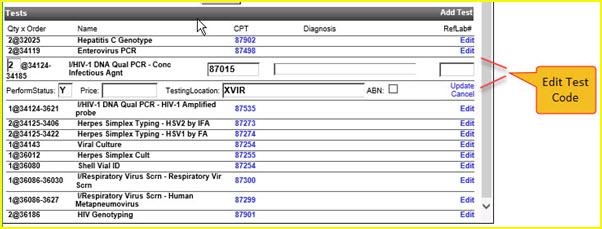
You may change test information by clicking on the Edit link for that test.
For example, clicking on the Edit link on the 3rd test record, CPT 87015, provides access to the data you may change for that test.
|
When you click on the Edit link, the system expands the record to display and allow edits to the test data. Click the Update link to save those changes, click the Cancel link to discard any changes. After clicking Update or Cancel, the system redisplays the lists of tests for the accession.
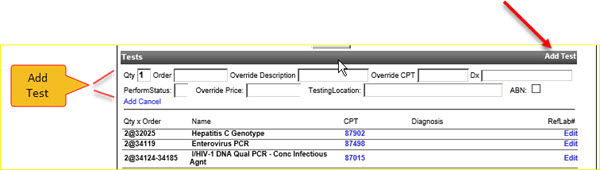
Click on the Add Test link to add a new test to the accession.
|
When you click on the Add Test link, the system displays all the fields necessary for you to add a new test. Click on the Add link to add the test, click on the Cancel link to discard new test data. After you click on either the Add or Cancel link, the system redisplays the list of tests for the accession.
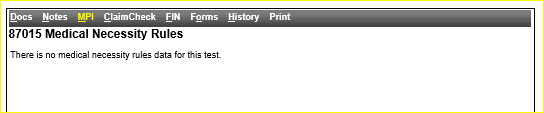
You may check the medical necessity rules for a CPT by clicking on the CPT number, for example 87015.
Here are the results of clicking on 87015 on the 3rd test record, CPT 87015.
|

| This document contains confidential and proprietary information owned by the Rhodes Group, Inc. This Information may not be downloaded, copied, or transferred, in any medium, either in whole or in part, except as allowed by the Rhodes Group. Copyright 2017, Rhodes Group Inc. | |
| Version 6.0, Release 1
Reference Manual |
Prepared by Rhodes Group
September 2017 |