1. Header Navigation and Search Bar Section
The Fusion page header contains worklist navigation, workflow report and search by accession functions.

|
A. Worklist Navigation
The image below shows section A of the Fusion Header Navigation and Search Bar.
.jpg)
|
On the image above there are several navigation buttons and a label to indicate your location in the list of worklist records.
Counter Label: The label indicates that you are on the ‘Worklist Detail 4 of 500’. This label means that you are currently viewing or working record 4 of 500 records in the Worklist Detail set for the scrub ID that you have chosen from the master worklist.
First button: Clicking this button takes you to the first record in the list, or 1 of 500. The up arrow key is a shortcut key for this action.
Last button: Clicking this button takes you to the last record in the list, or 500 of 500. The down arrow key is a shortcut key for this action.
Skip button: Clicking this button skips this record and takes you to the next record in the list, or 5 of 500. Use the Skip button to be sure you have skipped the record. When you skip a record, the system takes it out of the worklist until the next processing run. The skipped accession can still be accessed directly via the search box, by its accession number.
Postpone button: Clicking this button allows you to postpone work on this record and takes you to the next record in the list, or 5 of 500.
Next & Prev: The previous < and next > buttons. These buttons allow you to move to the previous or next record in the list.
Clicking the previous, or <, button takes you to the previous record in the list, or 3 of 500. The left arrow is a shortcut key for this action.
Clicking the next, or >, button takes you to the next record in the list, or 5 of 500. The right arrow is a shortcut key for this action.
B. Workflow Report Link and Information
.jpg)
|
See theWorkflow Report Link and Information in the Getting Started section of this manual for more information.
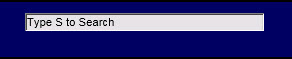
C. Search by Accession Number
|
See Search by Accession Number in the Getting Started section of this manual for more information.

| This document contains confidential and proprietary information owned by the Rhodes Group, Inc. This Information may not be downloaded, copied, or transferred, in any medium, either in whole or in part, except as allowed by the Rhodes Group. Copyright 2017, Rhodes Group Inc. | |
| Version 6.0, Release 1
Reference Manual |
Prepared by Rhodes Group
September 2017 |